
The Walkie Battery That Shut Down a $300,000 Shoot Day
It was 6:45 AM on day one of a major commercial shoot. Fifteen-hour day scheduled. Fifty crew members. Celebrity talent flying in from LA. Location permit that cost $12,000.
The 1st AD called for walkies to be distributed. That's when we discovered the problem.
The production assistant responsible for charging walkie batteries—let's call him Jake—hadn't charged them overnight. He'd meant to. He'd planned to. But he'd gotten distracted with other tasks, and by the time he remembered, it was 11 PM and he was exhausted.
"I'll get here early and charge them in the morning," he thought.
Except walkie batteries take 4-6 hours to fully charge. Jake arrived at 5:30 AM. By call time at 7:00 AM, the batteries were at 40% charge. Not enough for a 15-hour day.
We had two options: delay the shoot while batteries charged, or send someone to rent backup batteries from a vendor 45 minutes away.
We chose option two. Production delayed for 90 minutes while a PA drove across town, rented batteries, and drove back. The delay cost $8,500 in crew overtime and pushed us into golden hour without completing our exterior shots.
The director was furious. The producer was furious. Jake kept his job, but barely.
"I'm so sorry," Jake told me during lunch. "I just... I lost track. I had so many things to remember, and I didn't have a system for keeping track of it all."
That's the problem with PA work. You're managing dozens of critical tasks, any one of which can shut down production if you drop the ball. And most PAs are doing it without any organizational system at all.
Why PA Organization Is Different From Every Other Position
Here's what most people don't understand about being a production assistant: you're the glue that holds production together, but you're doing it with the least experience, the lowest pay, and the most chaotic working conditions.
Other positions have specialized responsibilities. The DP manages camera. The sound mixer manages audio. The AD manages the schedule.
But PAs? You're managing everything that doesn't fit neatly into another department:
Equipment Management: Walkies, batteries, charging stations, expendables, office supplies, set suppliesCommunication: Relaying messages, coordinating between departments, managing paperworkLogistics: Runs to vendors, picking up supplies, delivering items, managing vehiclesSet Support: Locking up locations, managing crowds, setting up craft services, general problem-solvingDocumentation: Call sheets, production reports, receipts, timecards
You're expected to remember dozens of tasks, anticipate problems before they happen, and never make a mistake—all while being the newest, least experienced person on set.
The PAs who succeed? They build systems early. They treat organization as a survival skill, not an optional extra.
The PAs who struggle? They rely on memory, hope, and luck. And eventually, their luck runs out.
The Five Critical PA Systems That Prevent Disasters
I've worked with hundreds of PAs over 15 years. The ones who move up quickly all have the same five organizational systems in place:
System #1: The Task Capture System
This is your method for capturing every task you're assigned so nothing falls through the cracks.
Most PAs try to remember everything. This works fine when you have three tasks. It fails catastrophically when you have 30.
The best PAs use a simple capture system:
Physical notepad: Small notebook that lives in your pocket. Every task gets written down immediately, no exceptions.
Phone notes app: Backup system for when you can't access your notepad. Everything gets transferred to the notepad later.
Task categories: Mark each task with a category (urgent, today, this week, ongoing) so you know what to prioritize.
I worked with a PA named Alex who had a perfect task capture system. Whenever anyone gave her an assignment, she'd pull out her notepad, write it down, and repeat it back to confirm.
"Can you pick up gaffer tape from the rental house?""Got it. Gaffer tape from rental house. What time do you need it by?""Before lunch.""Before lunch. I'll have it by 11:30."
Alex never forgot a task. Not once. Because she never relied on memory. Everything went into the system.
Compare that to Jake, the PA who forgot to charge walkie batteries. He didn't write it down. He thought he'd remember. He was wrong.
System #2: The Equipment Accountability System
As a PA, you're often responsible for expensive equipment: walkies, batteries, tablets, cameras, keys, petty cash.
Losing any of these items can cost hundreds or thousands of dollars. More importantly, it can cost you your reputation.
The best PAs use a simple check-in/check-out system:
Equipment log: A list of every piece of equipment you're responsible for, with columns for check-out time, check-in time, and condition.
Physical count: Count your equipment at the start of the day, at lunch, and at wrap. Every single time.
Designated storage location: Every piece of equipment has a specific home. Walkies live in the charging station. Keys live in the lockbox. Tablets live in the production office.
I watched a PA named Marcus manage 20 walkies across a 60-day shoot without losing a single one. His system was simple but bulletproof:
Every morning, he'd count walkies and batteries. He'd log who received each walkie. At wrap, he'd collect every walkie, count them again, and plug them in to charge.
"I don't trust my memory," Marcus told me. "I trust my system. If the system says I should have 20 walkies, and I only count 19, I know I'm missing one before anyone else notices."
System #3: The Communication Hub System
PAs are communication hubs. You're constantly relaying messages between departments, coordinating schedules, and managing information flow.
Most PAs handle this reactively. Someone asks a question, they try to answer it. Someone needs information, they try to find it.
The best PAs build a communication hub system:
Contact list: Every key crew member's name, role, and phone number in your phone. Organized by department.
Information binder: Physical binder with call sheets, maps, vendor contacts, emergency procedures, and frequently needed information.
Digital backup: Photos of all critical documents on your phone so you always have access.
Standard responses: Pre-written templates for common questions (directions to set, parking info, meal times, etc.).
I worked with a PA named Sarah who was known as the most reliable information source on set. Need to know where the nearest hardware store is? Ask Sarah. Need the producer's cell number? Ask Sarah. Need to know what time lunch is? Ask Sarah.
Her secret? She maintained a comprehensive information system. She didn't know everything off the top of her head—she had systems for finding information quickly.
System #4: The Time Management System
PA work is all about managing time effectively. You're juggling multiple tasks with different deadlines, and you need to prioritize correctly.
Most PAs work reactively. Whatever task is yelled at them most recently becomes the priority. This leads to constant firefighting and dropped balls.
The best PAs use a time-blocking system:
Morning prep (5:30-7:00 AM): Set up, charge equipment, prep for the dayActive shooting (7:00 AM-1:00 PM): Respond to immediate needs, manage ongoing tasksLunch break (1:00-2:00 PM): Catch up on tasks, plan afternoonAfternoon shooting (2:00-7:00 PM): Continue support, prep for wrapWrap duties (7:00-8:00 PM): Collect equipment, secure location, prep for next day
Within each block, they prioritize:
Urgent & Important: Do immediately (walkie battery dies, emergency supply run)Important but not urgent: Schedule for specific time (pick up supplies before lunch)Urgent but not important: Delegate or defer (non-critical questions, low-priority tasks)Neither urgent nor important: Don't do (busywork, unnecessary perfectionism)
System #5: The End-of-Day Reset System
This is the system that separates great PAs from everyone else.
Most PAs finish the day exhausted and just want to go home. They leave equipment scattered, tasks unfinished, and problems for tomorrow.
The best PAs have an end-of-day reset system that ensures tomorrow starts smoothly:
Equipment check: Count and secure all equipment. Charge all batteries. Return borrowed items.
Task review: Review notepad. Complete any critical tasks. Move incomplete tasks to tomorrow's list.
Communication closeout: Send any necessary end-of-day updates. Confirm tomorrow's call time and responsibilities.
Prep for tomorrow: Set out anything needed for tomorrow. Charge your phone. Pack your bag.
Physical reset: Clean your workspace. Organize your supplies. Leave everything better than you found it.
I watched Jake—the PA who forgot to charge walkie batteries—implement an end-of-day reset system after his mistake. Every single night, the last thing he did before leaving set was plug in all walkie batteries and confirm they were charging.
He never made that mistake again.
The Real Cost of PA Disorganization
Let's talk about what disorganization actually costs.
Direct Production Costs: When a PA forgets a critical task, production delays. Every minute of delay costs $100-300 in crew wages. A 30-minute delay costs $3,000-9,000. A 90-minute delay (like Jake's walkie battery incident) costs $9,000-27,000.
Replacement Costs: Lost walkies cost $300-500 each. Lost keys require rekeying locks ($500-2,000). Lost tablets or cameras can cost thousands. Most productions budget for some loss, but excessive loss comes out of the PA's reputation.
Overtime Costs: When PAs are disorganized, tasks take longer. Simple runs that should take 30 minutes take 90 minutes. This pushes the day longer, triggering overtime for the entire crew.
Career Costs: This is the big one. PAs who are consistently disorganized don't get called back. They don't get recommended. They don't move up to coordinator or AD positions.
I've seen talented PAs with great attitudes get stuck because they couldn't get organized. And I've seen average PAs with solid organizational systems build 20-year careers in production.
The difference? Systems.
How to Build Your PA Organization System
If you're ready to build a professional PA organization system, here's the step-by-step process:
Step 1: Get Your Core Tools
You need:
-
Small notepad (pocket-sized, always with you)
-
Reliable pen (backup pen in your other pocket)
-
Phone with notes app (backup system)
-
Small organizer bag (for supplies, tools, and essentials)
-
Charging cables (for your phone and any devices you manage)
-
Multi-tool (you'll need it constantly)
-
Flashlight (headlamp is even better)
Step 2: Build Your Task Capture Habit
For one week, write down every single task you're assigned. Don't trust your memory. Don't think "I'll remember that." Write it down.
At the end of each day, review your list. Cross off completed tasks. Move incomplete tasks to tomorrow's list.
This habit alone will prevent 80% of PA mistakes.
Step 3: Create Your Equipment System
Make a list of every piece of equipment you're responsible for. Create a simple check-in/check-out log.
Count your equipment three times per day: morning, lunch, wrap. Every time.
If you're responsible for charging equipment (walkies, tablets, cameras), make "plug everything in" the last task of your day. No exceptions.
Step 4: Build Your Information Hub
Create a contact list with every key crew member. Take photos of call sheets, maps, and important documents. Build a physical or digital binder with frequently needed information.
When someone asks you a question you can't answer, find the answer and add it to your system. Your information hub should grow every day.
Step 5: Implement Your End-of-Day Reset
Create a checklist for end-of-day tasks:
-
Count and secure equipment
-
Charge all batteries
-
Review task list
-
Prep for tomorrow
-
Clean workspace
Do this checklist every single day. Make it non-negotiable.
Why Film Swag Bags Work for PAs
I designed these bags specifically for people who need to stay organized in chaotic environments.
Here's what makes them work for PAs:
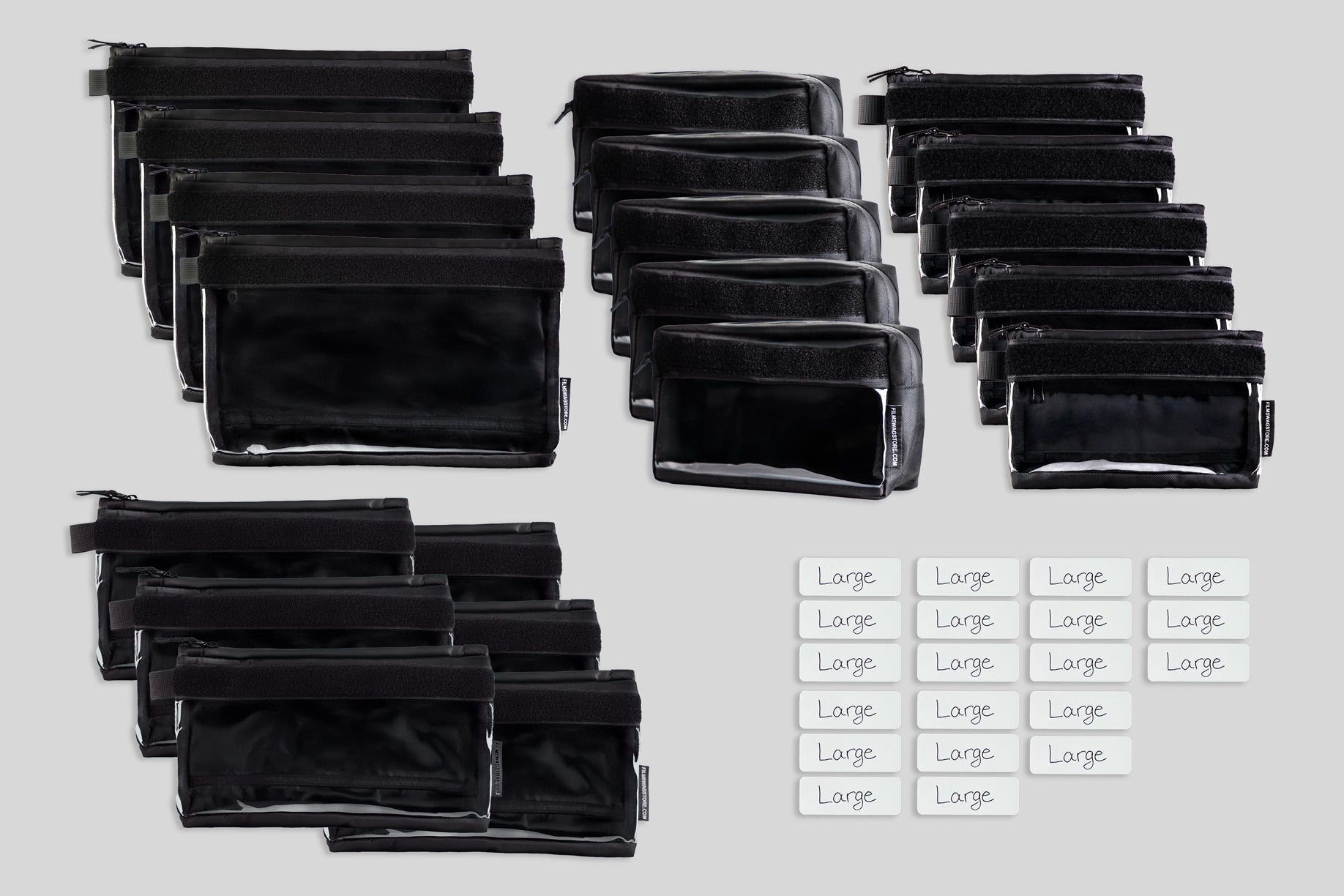
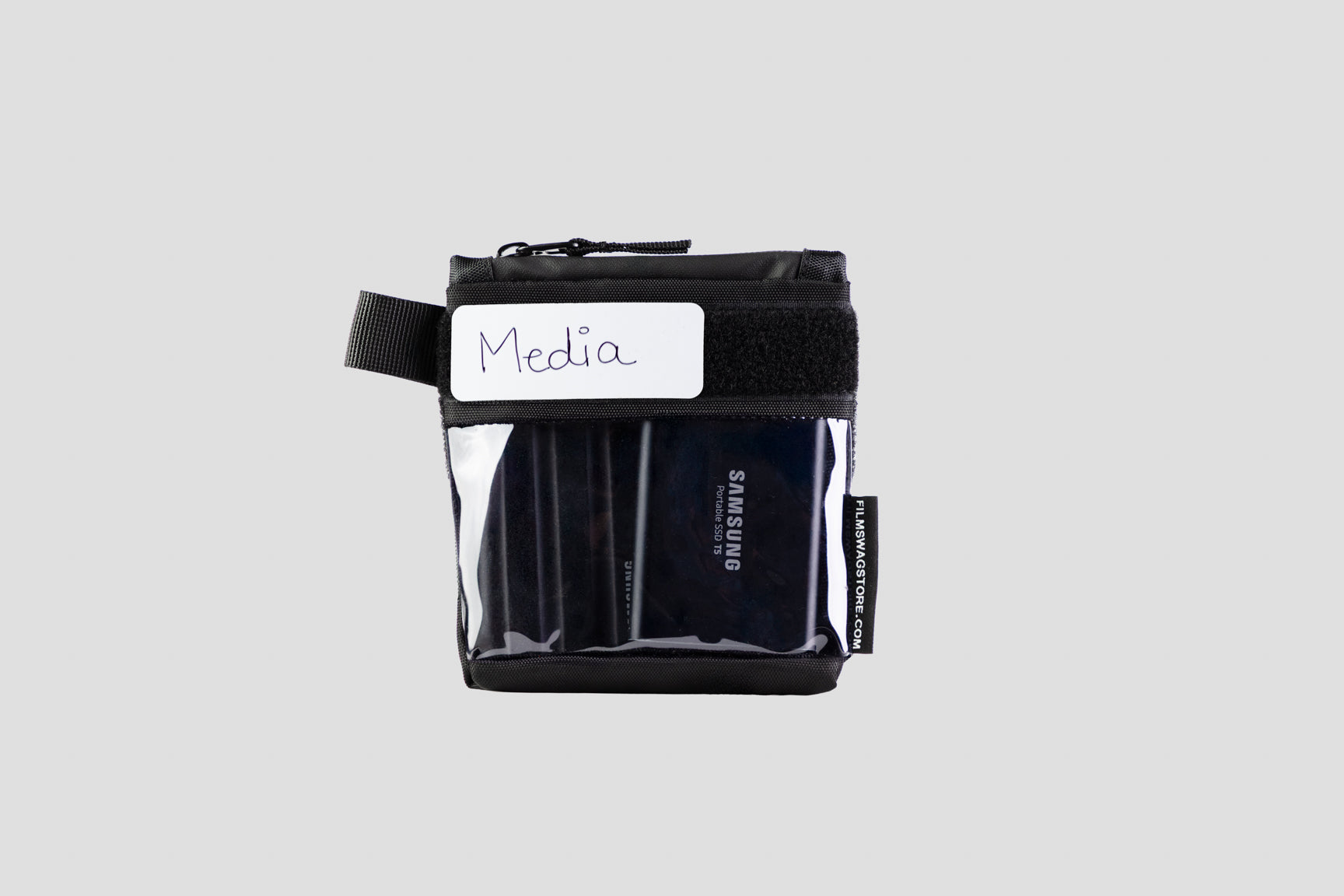
Multiple Compartments: Separate pouches for different categories of supplies. Pens and notepads in one pouch. Multi-tool and flashlight in another. Charging cables in a third. Everything has a home.
Customizable Labels: Mark exactly what lives where. When you're exhausted at the end of a 15-hour day, you don't want to search for your multi-tool. You want to grab the "tools" pouch and know it's there.
Durable Construction: These bags survive being thrown in trucks, dropped on concrete, and used in rain, dust, and extreme temperatures. They're built for the chaos of set life.
Professional Appearance: You look organized and professional, which matters when you're trying to move up in your career.
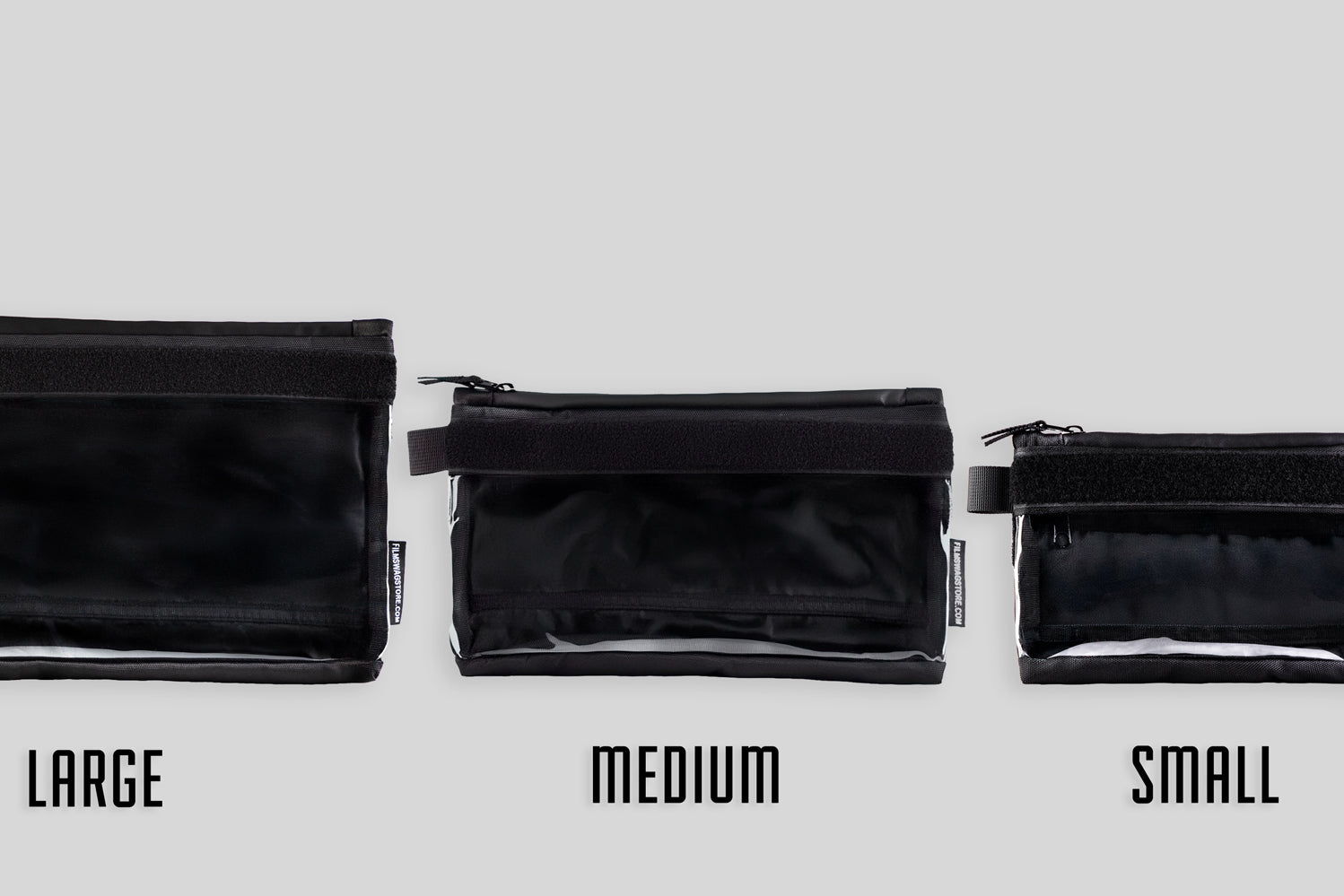
Modular System: Start with one small bag for your daily essentials. Add more bags as your responsibilities grow.
Real-World PA Systems
Let me show you how working PAs actually use these systems:
Alex (Set PA): Uses one 8x8" bag for daily essentials. Front pouch: notepad, pens, sharpie. Main compartment: multi-tool, flashlight, charging cables, gaffer tape, zip ties. Back pocket: call sheet, maps, emergency contact list. Everything labeled. She can find any item in under 5 seconds.
Marcus (Walkies PA): Uses two bags. One 10x10" bag for walkie management (charging cables, backup batteries, equipment log). One 8x8" bag for personal supplies. His system is so solid that he's never lost a walkie in three years.
Sarah (Office PA): Uses three bags organized by function. One for office supplies (pens, paper, stapler, tape). One for tech (charging cables, adapters, backup batteries). One for personal items (snacks, water bottle, first aid). Each bag lives in a specific location in the production office.
Each of these PAs built a system that works for their specific role. But they all follow the same principles: capture every task, account for every piece of equipment, maintain an information hub, manage time effectively, and reset at the end of every day.
Your Next Step
If you're ready to build a professional PA organization system, here's what I recommend:
For new PAs: Start with one 8x8" bag for daily essentials. Build the habit of writing down every task. Count your equipment three times per day. Implement an end-of-day reset routine.
For experienced PAs: Build a complete system with multiple bags for different categories. Create comprehensive checklists. Develop standard operating procedures for your most common tasks.
For PAs moving into coordinator roles: Scale your systems to manage larger teams. Document your procedures so you can train other PAs. Build systems that work even when you're not there.
The investment in proper organization isn't an expense—it's career insurance. The PAs who build great systems are the ones who get promoted to coordinator, then AD, then producer.
Jake—the PA who forgot to charge walkie batteries—completely rebuilt his organization system after that $8,500 mistake. He bought a Film Swag organizer bag, created checklists for every responsibility, and committed to his end-of-day reset routine.
Two years later, he's now a production coordinator on a major network show. His organizational systems are so solid that he's training other PAs on how to stay organized.
"That walkie battery incident was the best thing that ever happened to my career," he told me. "Not because I almost got fired. Because I finally understood that organization isn't optional. It's the foundation of everything else in production."
Ready to build your system?
Visit FilmSwagStore.com and check out our PA-specific organizer solutions. Every bag comes with our 30-day return policy and free shipping on orders over $150.
Your future self—and your entire production team—will thank you.